{
"$type": "site.standard.document",
"content": {
"$type": "site.standard.content.markdown",
"text": "Following up on the [Beginner's guide to React](at://did:plc:dgtaz4vldacvqhvvmdvoc4ad/site.standard.publication/3mfbydibiwc7f/articles/react-for-beginners), this article will cover the basic \"hooks\" that React offers.\n\n## What are hooks?\n\nHooks are a functionality introduced in React 16.8. They allow you to create stateful functional components.\n\n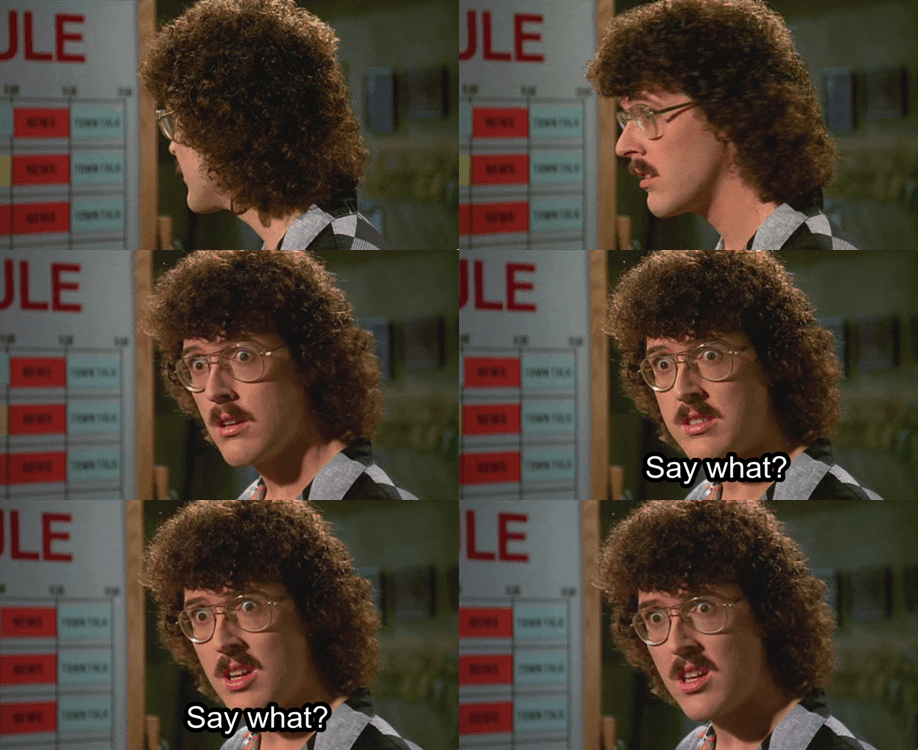\n\nIf that last phrase made you have the same reaction as Al here, then this article's for you!\nLet me try to explain it this way. Before, if we wanted to have _state_ in a component, we'd need to use a `class component` that would look something like this:\n\n```js\nexport default class TodoList extends React.Component {\n state = {\n todos: [],\n }\n\n render() {\n return (\n <ul>\n {this.state.todos.map((e) => (\n <li>{e}</li>\n ))}\n </ul>\n )\n }\n}\n```\n\nBut now there's no need to write something so long! With React hooks functional components can have state! Whereas before you would just use a functional component as a _stateless_ one (where data comes from _props_, basically), you can now give _state_ to those components. Let's take the previous example; using hooks, we can rewrite it like this:\n\n```js\nfunction TodoList() {\n const [todos] = useState([])\n return (\n <ul>\n {todos.map((e) => (\n <li>{e}</li>\n ))}\n </ul>\n )\n}\n\n// Export the function here\n```\n\n_NB: I prefer to write functional components this way for readability, but you could also export the function directly._\n\nIs it just me or did that code become a bit more readable just now? If you're wondering about the `[todos]` part, I'll talk more about it in the next section. Speaking (or writing, such as it is) about that, let's dive into React hooks!\n\n## UseState\n\nthe `useState` hook replaces the `state` in a class component. It is used to define part of a component's state. Why do I say part of? Because you can (and _should_) use `useState` multiple times in a single component. This allows you to have more control over the state and, when used in conjunction with the next hook (spoiler), will allow you to rerun code or rerender of your app on a specific state change.\n\nLet's take the last bit of code and continue from there:\n\n```js\nfunction TodoList() {\n const [todos] = useState([])\n return (\n <ul>\n {todos.map((e) => (\n <li>{e}</li>\n ))}\n </ul>\n )\n}\n```\n\nAt this moment, the component renders a list of _todos_, but you might notice a problem; we have no way to **set** those _todos_.\n\nTo do that, we need to understand the return values of `useState`: this function returns an array containing the state's value and a function to update said values. We can call it (and the value, for that matter) whatever we want, but let's stick to the conventions for now.\nLet's update the code we've written before:\n\n```js\nfunction TodoList() {\n const [todos, setTodos] = useState([])\n return (\n <ul>\n {todos.map((e) => (\n <li>{e}</li>\n ))}\n </ul>\n )\n}\n```\n\nNow we have a function to set our todos. Let's add an input and a button to add todos. In the input, we'll listen to the `onChange` event to modify some other piece of state.\n\n```js\nfunction TodoList() {\n const [todos, setTodos] = useState([])\n const [newTodo, setNewTodo] = useState('')\n return (\n <div>\n <ul>\n {todos.map((e) => (\n <li>{e}</li>\n ))}\n </ul>\n <input\n onChange={(e) => {\n setNewTodo(e.target.value)\n }}\n value={newTodo}\n />\n <button\n onClick={() => {\n setTodos((oldTodos) => [...oldTodos, newTodo])\n setNewTodo('')\n }}>\n Add Todo\n </button>\n </div>\n )\n}\n```\n\n\n\nYeah, that's a lot of new stuff to cover, I know. Let's break it down\n\n```js\nconst [newTodo, setNewTodo] = useState('')\n```\n\nThis is just a new useState. Notice how this time I put **\"\"** as a first argument. The first argument in a useState function call defines the starting value of the state and is also used to determine its _type_. This can be used by us (the developers) to get IntelliSense on the state (autocompletion etc).\n\n```js\n<input\n onChange={(e) => {\n setNewTodo(e.target.value)\n }}\n value={newTodo}\n/>\n```\n\nThis input does two things: it reads the state _newTodo_ and uses it as value while also updating it with its new value (when a user types in the input, the state will change to reflect that change).\n\n```js\n<button\n onClick={() => {\n setTodos((oldTodos) => [...oldTodos, newTodo])\n setNewTodo('')\n }}>\n Add Todo\n</button>\n```\n\nThis button add the _newTodo_ to the list and resets the input's text (i.e. _newTodo_). You might have noticed something...\n\n```js\nsetTodos((oldTodos) => [...oldTodos, newTodo])\nsetNewTodo('')\n```\n\n\n\nWhen you _set_ a state, you can either directly pass the new value as an argument, or use an arrow function to get a reference to the current state's value (useful for updating arrays).\n\nAnd that's it for the useState hook !!\n\n## useEffect\n\nNow that we know how to set state in a component, let's see how to replace a `componentDidUpdate` using hooks. the `componentDidUpdate` method of a class component was used to trigger effects based on state and props change.\n\nLet's say we're building a photo search app and we need to update the search results based on the current value of an input field. As the user types in the input field, we want to update the result. We could do it in the `onChange` callback, but that would make the rerender dependent on the onChange and the app would become laggy (at least it used to, don't quote me on that).\n\nLet's setup our basic component:\n\n```js\nfunction PhotoSearch() {\n const [searchValue, setSearchValue] = useState('')\n const [photoResult, setPhotoResult] = useState([])\n\n return (\n <div>\n <input\n value={searchValue}\n onChange={(e) => {\n setSearchValue(e.target.value)\n }}\n />\n <div>\n {photoResult.map((e) => (\n <img src={e} />\n ))}\n </div>\n </div>\n )\n}\n```\n\nSo, nothing new for now; we have to states, searchValue and photoResult, the former to store the input's value and the second to store the photos matching that search. Now let's use the `useEffect` hook to update the photoResult array with our search results (here I'm using a basic example, a real API would have more complex data formats (like [unsplash](https://unsplash.com/developers))\n\n```js\nfunction PhotoSearch() {\n const [searchValue, setSearchValue] = useState('')\n const [photoResult, setPhotoResult] = useState([])\n\n useEffect(() => {\n if (searchValue) {\n fetchImages(searchValue).then((data) => {\n setPhotoResult(data)\n })\n }\n }, [searchValue])\n\n return (\n <div>\n <input\n value={searchValue}\n onChange={(e) => {\n setSearchValue(e.target.value)\n }}\n />\n <div>\n {photoResult.map((e) => (\n <img src={e} />\n ))}\n </div>\n </div>\n )\n}\n```\n\n_NB: fetchImages acts as a function that returns an array of links to images from an API_\n\nLet's break it down:\n\n`useEffect` takes two arguments (the second being optional): the former is a callback function and the latter is a dependency array.\nThe callback function gets executed every time the values inside the dependency array change. In our example, we want to rerun that function each time the `searchValue` changes, so we add `searchValue` to the dependency array. Notice also the condition inside the callback:\n\n```js\nif (searchValue)\n```\n\nSince the value could be empty after a user deletes its input or when the page first loads, we need to check before executing a code that depends on it.\n\nThere are other quirks with useEffect, and you can read more about them on the [official React documentation](https://reactjs.org/docs/hooks-effect.html).\n\n## Final words\n\nThese are just the two hooks you'll use the most. Others exist (useContext, useCallback, useMemo), and you can even make your own. We'll probably look at those another time, on another article, but let's stop here for the time being.",
"version": "1.0"
},
"path": "/articles/hook-line-sinker",
"publishedAt": "2022-01-25T00:00:00.000Z",
"site": "at://did:plc:dgtaz4vldacvqhvvmdvoc4ad/site.standard.publication/3mfbydibiwc7f",
"tags": [
"javascript",
"reactjs",
"beginners",
"programming"
],
"textContent": "Following up on the Beginner's guide to React, this article will cover the basic \"hooks\" that React offers.\n\nWhat are hooks?\n\nHooks are a functionality introduced in React 16.8. They allow you to create stateful functional components.\n\nIf that last phrase made you have the same reaction as Al here, then this article's for you!\nLet me try to explain it this way. Before, if we wanted to have state in a component, we'd need to use a that would look something like this:\n\nBut now there's no need to write something so long! With React hooks functional components can have state! Whereas before you would just use a functional component as a stateless one (where data comes from props, basically), you can now give state to those components. Let's take the previous example; using hooks, we can rewrite it like this:\n\nNB: I prefer to write functional components this way for readability, but you could also export the function directly.\n\nIs it just me or did that code become a bit more readable just now? If you're wondering about the part, I'll talk more about it in the next section. Speaking (or writing, such as it is) about that, let's dive into React hooks!\n\nUseState\n\nthe hook replaces the in a class component. It is used to define part of a component's state. Why do I say part of? Because you can (and should) use multiple times in a single component. This allows you to have more control over the state and, when used in conjunction with the next hook (spoiler), will allow you to rerun code or rerender of your app on a specific state change.\n\nLet's take the last bit of code and continue from there:\n\nAt this moment, the component renders a list of todos, but you might notice a problem; we have no way to set those todos.\n\nTo do that, we need to understand the return values of : this function returns an array containing the state's value and a function to update said values. We can call it (and the value, for that matter) whatever we want, but let's stick to the conventions for now.\nLet's update the code we've written before:\n\nNow we have a function to set our todos. Let's add an input and a button to add todos. In the input, we'll listen to the event to modify some other piece of state.\n\nYeah, that's a lot of new stuff to cover, I know. Let's break it down\n\nThis is just a new useState. Notice how this time I put \"\" as a first argument. The first argument in a useState function call defines the starting value of the state and is also used to determine its type. This can be used by us (the developers) to get IntelliSense on the state (autocompletion etc).\n\nThis input does two things: it reads the state newTodo and uses it as value while also updating it with its new value (when a user types in the input, the state will change to reflect that change).\n\nThis button add the newTodo to the list and resets the input's text (i.e. newTodo). You might have noticed something...\n\nWhen you set a state, you can either directly pass the new value as an argument, or use an arrow function to get a reference to the current state's value (useful for updating arrays).\n\nAnd that's it for the useState hook !!\n\nuseEffect\n\nNow that we know how to set state in a component, let's see how to replace a using hooks. the method of a class component was used to trigger effects based on state and props change.\n\nLet's say we're building a photo search app and we need to update the search results based on the current value of an input field. As the user types in the input field, we want to update the result. We could do it in the callback, but that would make the rerender dependent on the onChange and the app would become laggy (at least it used to, don't quote me on that).\n\nLet's setup our basic component:\n\nSo, nothing new for now; we have to states, searchValue and photoResult, the former to store the input's value and the second to store the photos matching that search. Now let's use the hook to update the photoResult array with our search results (here I'm using a basic example, a real API would have more complex data formats (like unsplash)\n\nNB: fetchImages acts as a function that returns an array of links to images from an API\n\nLet's break it down:\n\n takes two arguments (the second being optional): the former is a callback function and the latter is a dependency array.\nThe callback function gets executed every time the values inside the dependency array change. In our example, we want to rerun that function each time the changes, so we add to the dependency array. Notice also the condition inside the callback:\n\nSince the value could be empty after a user deletes its input or when the page first loads, we need to check before executing a code that depends on it.\n\nThere are other quirks with useEffect, and you can read more about them on the official React documentation.\n\nFinal words\n\nThese are just the two hooks you'll use the most. Others exist (useContext, useCallback, useMemo), and you can even make your own. We'll probably look at those another time, on another article, but let's stop here for the time being.",
"title": "Hook, line, and sinker",
"updatedAt": "2026-05-17T13:09:11.656Z"
}