Lately: Claude front and center, a fresh val layout, MCP upgrades, new Pro
pricing (for new users), and more.
The month of Claude
More and more Val Town users are having Claude Code bebop, wibble,
photosynthesize, and jitterbug
1 their vals, using the
Val Town MCP server.
Every val’s homepage now includes a copyable command for using Val Town MCP +
Claude Code.
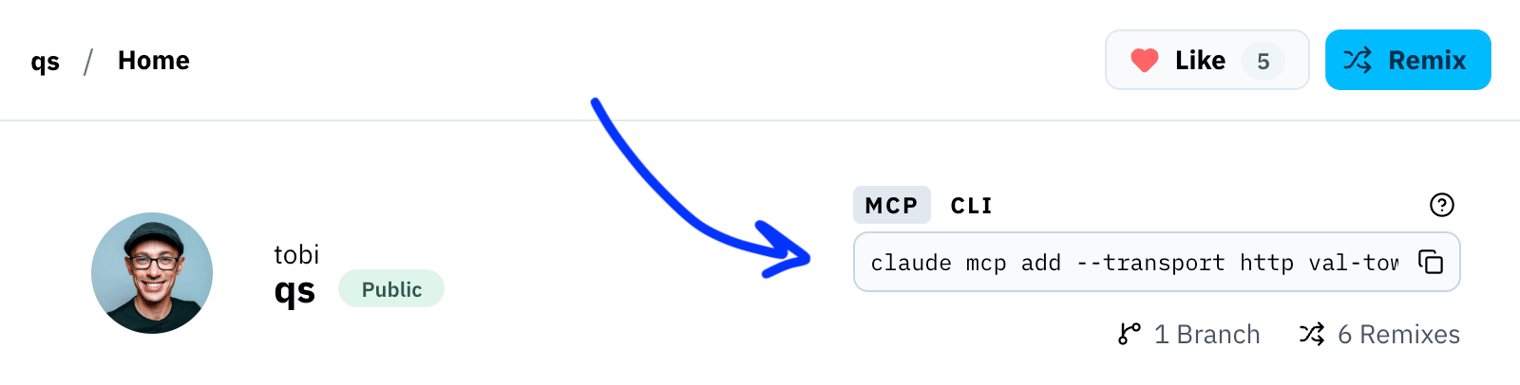
The val.town homepage also now has that command handy to
meet our potential users where existing users are using Val Town—in Claude
Code. You can bring the Val Town MCP anywhere you get your LLMs, though—not just
Claude. It works in Codex, Cursor, Copilot—you name it. If it starts with C and
thinks all your ideas are great, it’ll work with Val Town.
---
Townie now defaults to Claude Opus 4.6 with “Allow all” mode (a.k.a. YOLO mode)
enabled (although you might consider taking things slow
sometimes).
When starting a new chat, Townie remembers your selected mode and model from the
last active chat. Opus 4.7 with
effort level
is also available, along with Sonnet 4.6 and Haiku 4.5 for faster and cheaper
conversations. Inference is billed at-cost, without any markup: see our
pricing update below for more information.
---
Our MCP server has new tools to remix vals and and copy files. That’s over three
dozen tools now. Pretty much anything you can do in Val Town, you can do with
the MCP server:
- read/write/run code
- read/write SQLite and blob storage and logs
- set up cron jobs and email handlers
- visit HTTP URLs
- ...and more
New val layout
The biggest change in town lately is to the core val UI:
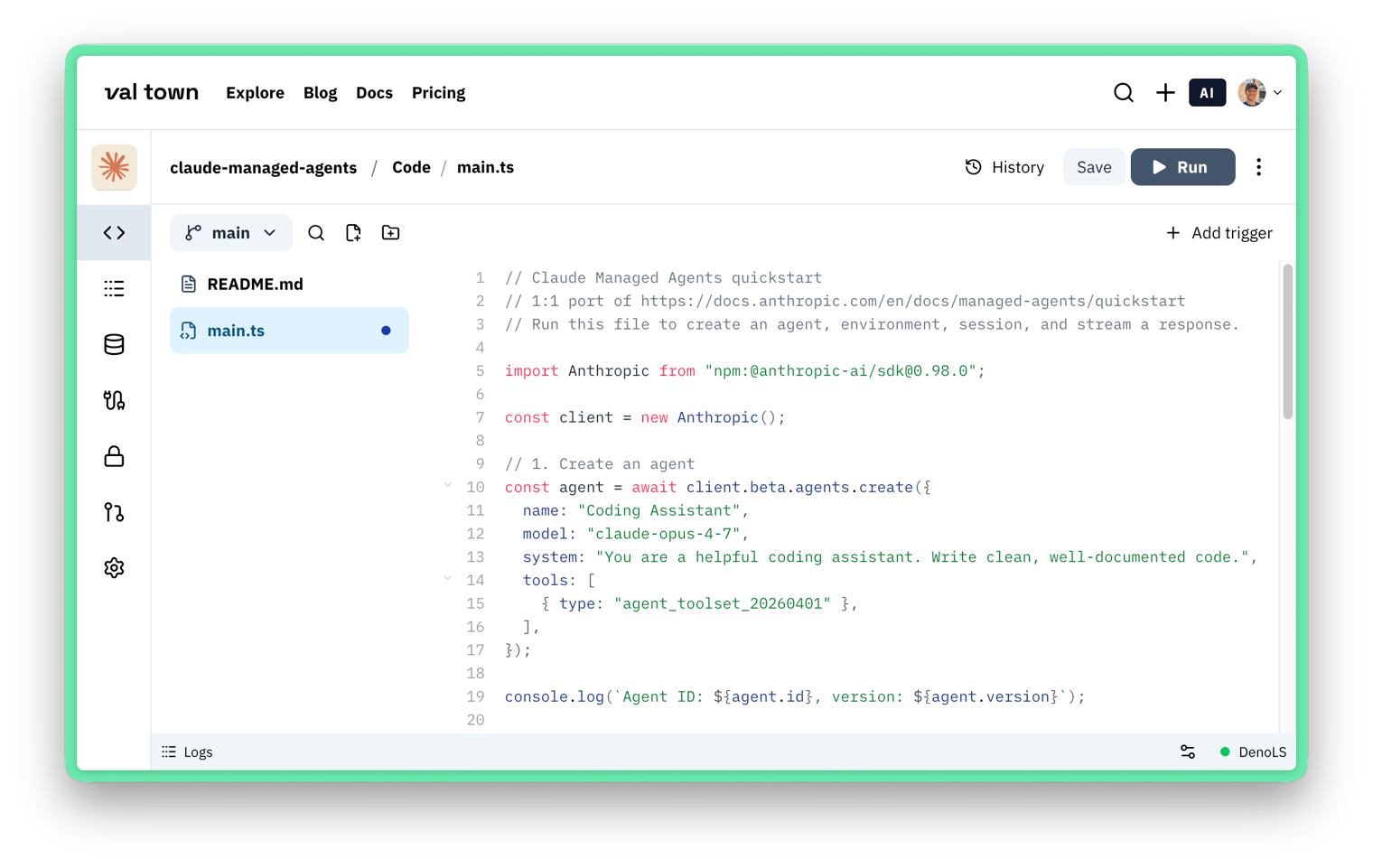
- Both the val sidebar and file tree are collapsible, allotting more real estate
to the file you’re editing
- There’s an editor status bar abottom the code editor with logs, editor
settings, and the Deno Language Server
- You can view history for folders, files, and the whole val
- The SQLite explorer makes better use of available space
- Townie launches from the top right rather than bottom left
- ...and dozens more changes
I’ve been loving the new layout, personally. Thanks to Jackson for his careful
craftsmanship!
Pricing updates
We increased Pro pricing to $25/month, or $250/year.
If you are an existing Pro user, your prices won’t change! As a thank you
for betting on us early, existing Pro users will pay the legacy $10 per month
(or $100 yearly) forever.
After using up monthly Townie credits ($10 monthly for Pro and $100 for
Business), billing is now pay-as-you-go with 0% markup on LLM inference costs.
We pass through costs from our upstream provider, Anthropic.
Free plans are limited to public vals, only for new vals. Existing private vals
on Free accounts will remain private.
Also, the Val Town Teams plan is now called Business.
Everything else
As always, many more changes have landed.
---
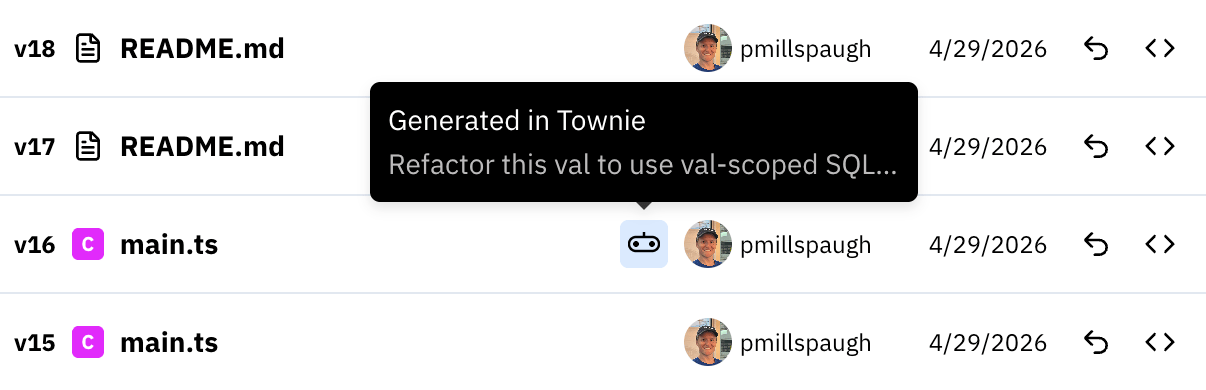
Val history and file diffs can attribute edits to Townie.
---
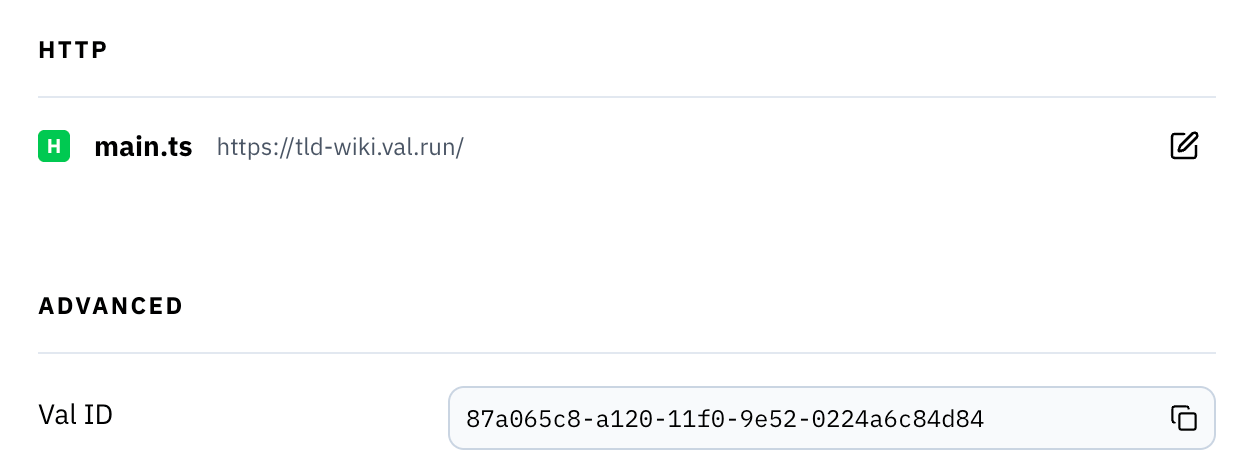
A Val ID field and HTTP section were added to val settings, so you can copy IDs
and set custom subdomains (as well as which HTTP file to preview on
the val’s homepage, as before). There’s also a new save-and-copy button when
adding a custom subdomain or email.
---
The main val.town/dashboard now has a switcher for
toggling between your personal account and any orgs you belong to. User profiles
also got a facelift—you can pin vals to feature your best work (like you’d pin
repos on your GitHub profile).
---
The new val creation flow always has you fill out a form with owner, name,
description, visibility, and image. Previously, you could create an
val, which was convenient, but it meant metadata wasn’t as deliberate.
---
You can now download any public val, not just your own vals.
---
Script val logs now stream during execution rather than buffering until exit.
---
You can now sign in with Google, as an alternative to GitHub and email.
---
Townie now remixes opinionated starter templates by default when building new
projects.
---
When you’re on a branch in a val’s code and navigate to another top-level
resource, like SQLite, then back to the code—your branch now persists.
---
A confirmation dialog now appears in the SQLite explorer for destructive
actions.
---
That’s it for this changelog. As always, send us your feature requests! Our
Discord server is the best place to discuss
requests.
Footnotes
(1) Bebopping, wibbling, photosynthesizing, and jitterbugging are all, in fact,
in the
Claude Code spinner verb dictionary.
I’d play a quiz game of “Is it a Claude spinner verb?” if someone made one. Hm,
you could probably make one in 5 minutes with Claude Code and the Val Town MCP
server...


Discussion in the ATmosphere